Pinterest allows a business to claim and connect their website to their Pinterest account. Claiming your website will get your access to Pinterest's website analytics and let people know where they can find more of your content.
In order to connect your OfferingTree website, you will first need to get an HTML tag from your Pinterest account. Follow the instructions on their help section to get the HTML tag. Next, go to the "Site Settings" section of your OfferingTree website, click on the "Integrations" tab, and click "Add code to HEAD".
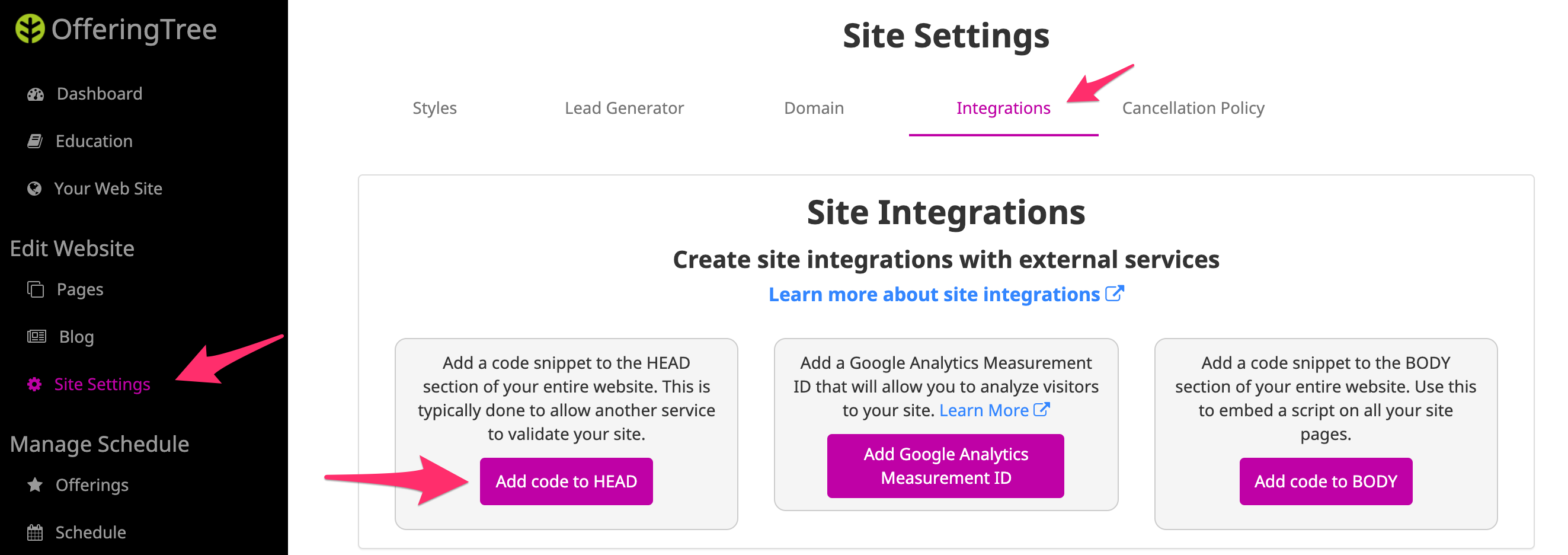
Give the integration a name, such as "Pinterest Claim" and paste the code into the "Integration code" section. Hit "Save". Pinterest will then be able to verify that you own your OfferingTree site and link it to your Pinterest account. Note that this process could take up to 24 hours.
Comments
0 comments
Please sign in to leave a comment.